athenahealth API Integration Guide (2026): FHIR R4 vs athenaOne APIs, Sandbox, Auth and Marketplace

Nirmitee.io Engineering
Author
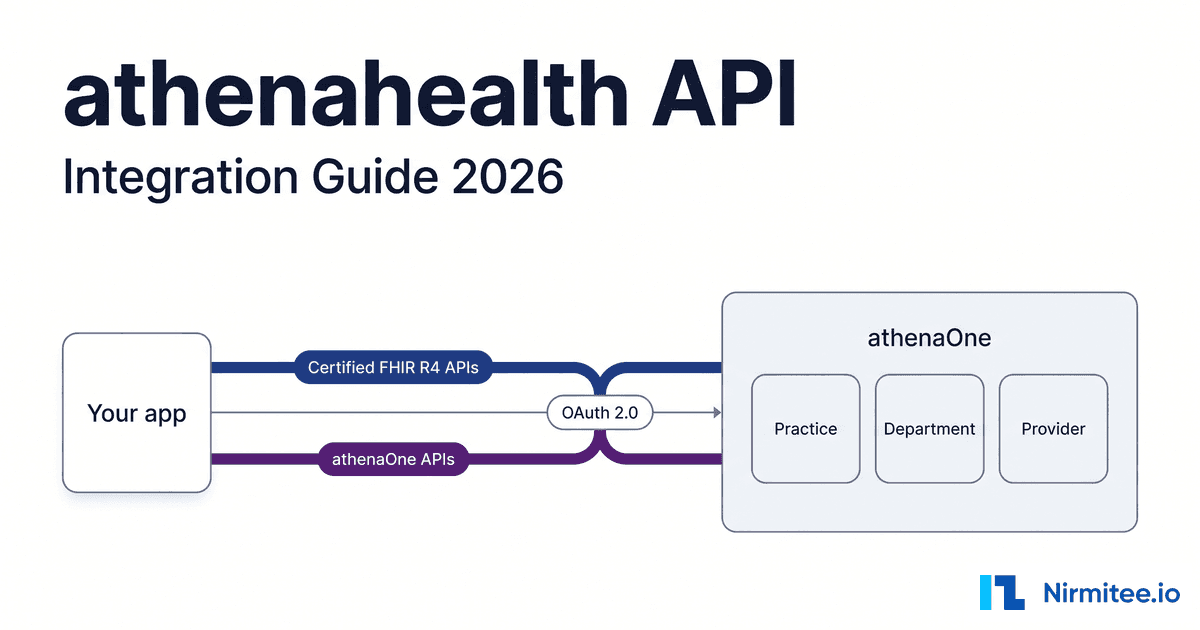
The athenahealth API is two API families on one platform: the Certified APIs, athenahealth's certified FHIR R4 read and search endpoints, and the athenaOne APIs, a proprietary REST surface under /v1/{practiceid}/ where scheduling, document posting and most write workflows live. Picking the right family per workflow, then getting practice-level access, is most of the work.
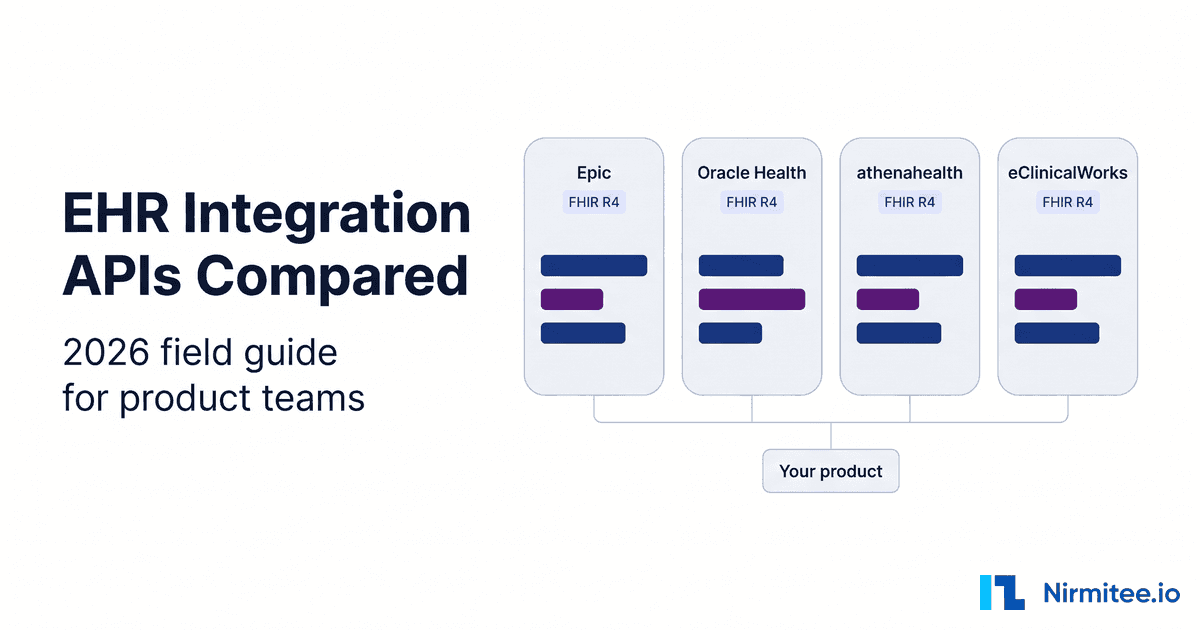
This guide is for CTOs and engineering leads connecting a product (an AI scribe, a scheduling agent, a patient engagement or RCM tool) to athenaOne. Vendor details were checked against athenahealth's own sources: its live FHIR metadata and SMART configuration, the Athena Core implementation guide, its developer documentation and its GitHub samples. We build EHR integration layers across Epic, Oracle Health, athenahealth, eClinicalWorks and NextGen, and our athenahealth integration work is where these patterns come from. Still choosing which EHRs to support first? Start with our EHR integration API comparison.
Key takeaways
- Two lanes. The Certified FHIR R4 APIs are almost entirely read and search. Booking appointments, posting documents and creating patients happen in the athenaOne APIs.
- Everything is scoped to a practice. athenaOne paths carry
{practiceid}; FHIR searches use theah-practiceparameter. Departments decide much of the rest. - The sandbox is shared. A Developer Portal account gets you into the preview environment, practice
195900, atapi.preview.platform.athenahealth.com. - OAuth 2.0 both ways. 2-legged
client_credentialsfor backend services, 3-leggedauthorization_codewith PKCE for SMART apps. New 2-legged token requests are capped at 50 per minute in production and 5 in preview. - Three sync options. Changed data subscriptions (poll), Event Notifications on FHIR Subscriptions (webhooks) and Group-level Bulk FHIR export with
_since, which athenahealth positions for initial loads and monthly syncs, not daily ones. - Production is per customer. You get back-end access to a practice only after that client signs an Authorization and Consent agreement, and apps that call athenaOne APIs also need a Platform Services contract and a Solution Validation review.
What is the athenahealth API?
The athenahealth API is the set of programmatic interfaces into athenaOne, athenahealth's cloud EHR, practice management and billing platform. It has two families: Certified APIs built on FHIR R4 and US Core for standardized clinical reads, and proprietary athenaOne APIs for practice workflows such as scheduling, registration, documents and claims.
The fastest way to understand the FHIR side is to read what the server declares. athenahealth's production CapabilityStatement is public. In September 2026 it reports FHIR 4.0.1, instantiates US Core 3.1.1 and 6.1.0 plus Bulk Data 1.0.1 and 2.0.0, and lists 32 resource types. Nearly all of them support only read and search-type; QuestionnaireResponse create and a few custom operations are the exceptions. A trimmed excerpt captured from that endpoint:
{
  "resourceType": "CapabilityStatement",
  "publisher": "athenahealth",
  "fhirVersion": "4.0.1",
  "instantiates": [
    "http://hl7.org/fhir/us/core/CapabilityStatement/us-core-server|3.1.1",
    "http://hl7.org/fhir/us/core/CapabilityStatement/us-core-server|6.1.0",
    "http://hl7.org/fhir/uv/bulkdata/CapabilityStatement/bulk-data|1.0.1",
    "http://hl7.org/fhir/uv/bulkdata/CapabilityStatement/bulk-data|2.0.0"
  ],
  "rest": [{
    "mode": "server",
    "resource": [{
      "type": "Appointment",
      "interaction": [{ "code": "read" }, { "code": "search-type" }],
      "searchParam": [
        { "name": "_id" }, { "name": "_query" },
        { "name": "base-appointment-id" }, { "name": "group-appointment-id" },
        { "name": "ah-practice" }, { "name": "_security" }
      ]
    }]
  }]
}
Look at that Appointment entry. It declares no patient or date search parameter, so "this patient's upcoming visits" or "open slots next week" cannot be built on FHIR alone. That one detail pushes every scheduling product into the athenaOne APIs. Our guide on how to read a FHIR CapabilityStatement shows how to run this check for any EHR.
The athenaOne APIs are the older, broader surface. Paths look like /v1/{practiceid}/appointments/open, responses are athenaOne-shaped JSON rather than FHIR, and write calls such as posting a clinical document take form parameters instead of a JSON body. athenahealth's API documentation covers both families.
How is athenaOne organized: practices, departments and providers
athenaOne is organized around the practice. A practice is the tenant, identified by a practiceid that appears in every athenaOne API path. Inside a practice sit departments (departmentid), providers (providerid), patients (patientid) and appointments (appointmentid). Most workflow calls need both a practice and a department.
FHIR models the same structure with Organization references. athenahealth's Athena Core implementation guide defines ah-practice as Organization/a-1.Practice-[practiceId] and ah-department as Organization/a-[practiceId].Department-[deptId], with the same pattern for chart sharing groups (CSG), provider groups (PG) and brands. They appear as extensions on resources and double as search parameters.
Keep a crosswalk from day one:
| Concept | athenaOne APIs | FHIR R4 form | What to watch |
|---|---|---|---|
| Practice | practiceid in the path: /v1/{practiceid}/... | Organization/a-1.Practice-{practiceid} via ah-practice | Preview practice is 195900. Every customer has its own ID. |
| Department | departmentid parameter | Organization/a-{practiceid}.Department-{departmentid} via ah-department | Required when posting clinical documents. Changed data feeds can be subscribed per department. |
| Provider | providerid | Practitioner | Open slot searches filter by provider as well as department. |
| Patient | patientid | Patient/a-{practiceid}.E-{enterpriseid} | The Patient FHIR R4 reference builds the id from the enterprise patient ID. Records can be merged, so keep ID history. |
| Appointment | appointmentid (you book an open slot by its ID) | Appointment, read and _id search only | Scheduling writes are athenaOne-only. |
| Bulk export group | Not applicable | Group/a-1.c-{practiceid} | The Group ID is built from the practice ID, so exports are practice-scoped. |
athenahealth FHIR API vs athenaOne API: which to use for each workflow
Use the Certified FHIR R4 APIs for standardized clinical reads across USCDI data, where your code should transfer to other EHRs. Use the athenaOne APIs when you need to write, schedule, register, match patients or touch billing. Most production integrations use both, split by workflow rather than by preference.
| Workflow | Certified FHIR R4 APIs | athenaOne APIs | Our default |
|---|---|---|---|
| Patient demographics | Patient read and search by name, family, given, birthdate, gender, identifier, _lastUpdated | Create and update patients, GET /patients/enhancedbestmatch | Read with FHIR. Create and match with athenaOne. |
| Appointments and scheduling | Appointment read, search by _id and appointment ID parameters | GET /appointments/open, PUT /appointments/{appointmentid} to book, /cancel and /reschedule, changed feed | athenaOne for anything beyond a known-ID read. |
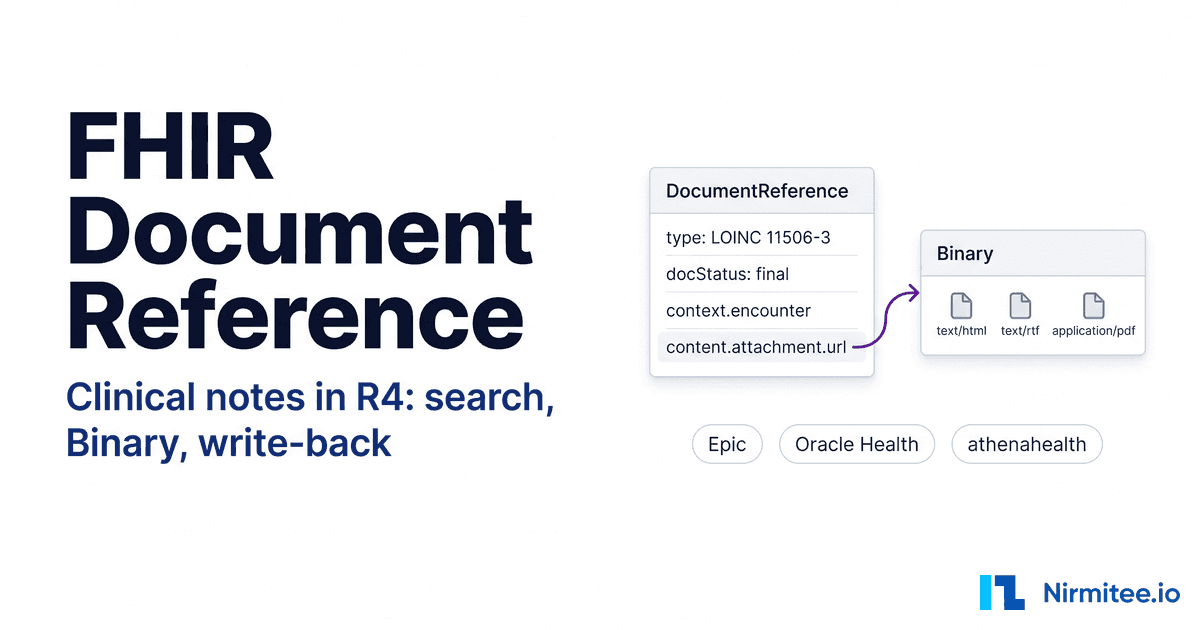
| Clinical documents | DocumentReference search by patient, category, type, date, encounter; Binary read | POST /patients/{patientid}/documents/clinicaldocument | Read with FHIR. Write with athenaOne. |
| Labs and results | Observation and DiagnosticReport search by patient, category, code, date | Chart lab results, lab result documents, changed lab results feed | FHIR for reads unless you need athenaOne-specific fields. |
| Charges and billing | Coverage read and search | Claims endpoints, with claim and charge-level detail | athenaOne. FHIR does not cover billing here. |
| Bulk export and sync | Group/[id]/$export with _since | Changed data subscriptions per feed | Bulk for backfill, changed feeds or webhooks for ongoing sync. |
athenahealth also adds its own search parameters (ah-practice, ah-department, ah-chart-sharing-group, ah-provider-group, ah-brand) on top of US Core. Plain US Core code runs, but it will not scope results the way a multi-practice product needs; see why FHIR compliant does not mean interoperable. If you support several EHRs, design your internal model around workflows, not vendor endpoints, as our multi-EHR integration layer guide argues.
How do you get athenahealth API access, step by step?
Sign up on the athenahealth Developer Portal, create an app to get client credentials, and build against the shared preview practice. To reach real data, each customer practice must authorize your app. Apps that use only Certified APIs have a self-service onboarding path; apps that use athenaOne APIs go through partner onboarding with athenahealth.
- Create a Developer Portal account. athenahealth's onboarding guide says signing up grants access to the global sandbox, practice
195900. - Create an app in the Developer Console. You get a client ID and secret. The secret is shown once, so store it in your secrets manager immediately.
- Prove the credentials work. Request a preview token, then call
GET /v1/195900/ping. - Build in preview. Preview holds non-sensitive dummy data. Use it for request shapes, error handling and paging, not realistic clinical content.
- Choose your lane before you sell. Since release 23.3 the Developer Console allows self-service onboarding for apps using only Certified APIs. Per athenahealth's contracting page, access beyond the Certified APIs (athenaOne APIs and non-certified FHIR APIs) comes through a Platform Services contract, or the Marketplace Partner Program if you are not an athenaOne customer. Its process page then adds a Tech Spec review, a dedicated Preview environment and a Solution Validation demo before production credentials.
- Get each customer's authorization. Partners receive only back-end access to a client's production environment, after the client signs an Authorization and Consent agreement. For Certified-only apps, practices enable the app from an athenaOne admin page.
- Switch hosts and go live. Point at
api.platform.athenahealth.comwith the customer'spracticeid, and repeat steps 6 and 7 for every practice.
| Preview | Production | |
|---|---|---|
| FHIR R4 base | https://api.preview.platform.athenahealth.com/fhir/r4 | https://api.platform.athenahealth.com/fhir/r4 |
| athenaOne base | https://api.preview.platform.athenahealth.com/v1/195900/ | https://api.platform.athenahealth.com/v1/{practiceid}/ |
| Practice | Shared global sandbox | Each customer's own ID |
| Data | Dummy data | Real PHI under the customer's authorization |
| New 2-legged token requests | 5 per minute | 50 per minute |
| API call limits | 15 per second, 50,000 per day | 150 per second, 500,000 per day |
| Bulk FHIR export | Not available in the public sandbox | Available for authorized practices |
The FHIR bases match athenahealth's FHIR base URL guide and the live endpoints. For what else changes between sandbox and production, see our SMART on FHIR sandbox to production guide.
How does athenahealth API authentication work?
athenahealth uses OAuth 2.0 on /oauth2/v1/token and /oauth2/v1/authorize. Backend services use 2-legged OAuth with the client_credentials grant. User-facing SMART on FHIR apps use 3-legged OAuth with authorization_code and PKCE. The two require different client credentials, and both return a bearer token.
The authoritative statement of what the authorization server supports is its discovery document. A trimmed copy of the live production smart-configuration, captured in September 2026:
{
  "authorization_endpoint": "https://api.platform.athenahealth.com/oauth2/v1/authorize",
  "token_endpoint": "https://api.platform.athenahealth.com/oauth2/v1/token",
  "grant_types_supported": ["authorization_code", "client_credentials"],
  "code_challenge_methods_supported": ["S256"],
  "token_endpoint_auth_methods_supported": [
    "client_secret_basic", "client_secret_post",
    "client_secret_jwt", "private_key_jwt", "none"
  ],
  "capabilities": [
    "launch-ehr", "launch-standalone", "client-public",
    "client-confidential-symmetric", "client-confidential-asymmetric",
    "context-ehr-patient", "context-ehr-encounter", "context-standalone-patient",
    "permission-offline", "permission-v1", "permission-v2", "sso-openid-connect"
  ]
}
2-legged OAuth: the backend service token request
This is the flow for sync workers, scheduling engines and document pipelines. athenahealth's authorization overview documents both secret-based authentication and JWT client assertions. The simplest form sends the client ID and secret as HTTP Basic credentials:
curl -s -X POST "https://api.preview.platform.athenahealth.com/oauth2/v1/token" \
  -u "$ATHENA_CLIENT_ID:$ATHENA_CLIENT_SECRET" \
  -H "Content-Type: application/x-www-form-urlencoded" \
  -d "grant_type=client_credentials" \
  -d "scope=athena/service/Athenanet.MDP.*"

# then
curl -s "https://api.preview.platform.athenahealth.com/v1/195900/ping" \
  -H "Authorization: Bearer $ACCESS_TOKEN"
The athena/service/Athenanet.MDP.* scope covers athenaOne API calls. FHIR access uses SMART system/ read scopes such as system/Patient.read, which athenahealth's authorization overview lists as auto-approved for 2-legged apps; wildcard and FHIR write scopes are not permitted by default. If your security team rejects shared secrets, the server advertises private_key_jwt, the signed-assertion method in the HL7 SMART Backend Services specification.
athenahealth's support FAQ on API call limits caps new 2-legged token requests at 50 per minute in production and 5 in preview; 3-legged token requests have no preset limit. API calls are capped at 150 per second and 500,000 per day in production (15 and 50,000 in preview), resetting at midnight GMT, and going over returns a Developer Over Rate error. The token endpoint guide gives a default expires_in of 60 minutes, and the best practices guide recommends one key server that fetches, caches and shares tokens until they expire. A fleet of stateless workers each fetching its own token will lock itself out, and the preview cap exposes this during your first load test.
3-legged OAuth: SMART on FHIR apps
For apps a clinician launches from athenaOne or a patient opens directly, redirect to /oauth2/v1/authorize with PKCE (S256 is the only advertised method), then exchange the code at the token endpoint. The discovery document advertises EHR and standalone launch, patient and encounter context, offline access and both SMART v1 and v2 scopes. athenahealth's authorization overview describes 3-legged OAuth for patient-facing and provider-facing apps using Certified APIs, and you choose 2-legged or 3-legged when you register: one set of credentials cannot do both. A provider-facing app also needs an athenaOne customer to grant access to its Preview environment before you can test the launch inside athenaOne. For the protocol, see SMART on FHIR OAuth2 authorization for clinical apps.
Common athenahealth API workflows with example requests
Three workflows cover most product integrations: finding the right patient, booking into a real open slot, and writing a document back to the chart. The requests below use documented endpoints against the preview practice. Replace the shell variables, and check each endpoint reference for required parameters and formats.
Search for a patient
For read-only lookups, FHIR search is the portable option. Scope it to the practice with ah-practice:
curl -s -G "https://api.preview.platform.athenahealth.com/fhir/r4/Patient" \
  -H "Authorization: Bearer $ACCESS_TOKEN" \
  -H "Accept: application/fhir+json" \
  --data-urlencode "ah-practice=Organization/a-1.Practice-195900" \
  --data-urlencode "family=$LAST_NAME" \
  --data-urlencode "birthdate=$BIRTHDATE"
When a person arrives from outside athenaOne (a caller, an intake form, a referral) and you must decide whether they already exist, use the Enhanced Best Match workflow. First name, last name and date of birth are required. athenahealth documents a score of 26 or higher as an automatch and 23 or higher as a strong match, and does not return matches below 16; its best practices ask for at least one more input, such as email, phone, zip or SSN:
curl -s -G "https://api.preview.platform.athenahealth.com/v1/195900/patients/enhancedbestmatch" \
  -H "Authorization: Bearer $ACCESS_TOKEN" \
  --data-urlencode "firstname=$FIRST_NAME" \
  --data-urlencode "lastname=$LAST_NAME" \
  --data-urlencode "dob=$DOB_MM_DD_YYYY" \
  --data-urlencode "zip=$ZIP"
Never auto-create a patient on a weak match. Duplicate charts are costly for the practice to merge and break your sync keys. See patient matching beyond demographics for thresholds and review queues.
Find open appointment slots and book one
Scheduling is athenaOne-only. The Appointment Slot reference documents GET /appointments/open. departmentid is required, and you must pass a reasonid or an appointmenttypeid or no slots come back. Prefer reasonid (from GET /patientappointmentreasons), which follows the practice's web scheduling setup; appointmenttypeid ignores that setup, and the docs say to consult athenahealth before using it. A reasonid other than -1 also requires providerid. Dates are mm/dd/yyyy, and the range defaults to seven days from today. Each open slot has an appointmentid; booking is a PUT on that ID with a required patientid, documented in the Appointment reference, which reserves appointmenttypeid on booking for kiosk and practice-staff apps.
# 1. Open slots for a department and provider
curl -s -G "https://api.preview.platform.athenahealth.com/v1/195900/appointments/open" \
  -H "Authorization: Bearer $ACCESS_TOKEN" \
  --data-urlencode "departmentid=$DEPARTMENT_ID" \
  --data-urlencode "providerid=$PROVIDER_ID" \
  --data-urlencode "reasonid=$REASON_ID" \
  --data-urlencode "startdate=$START_MM_DD_YYYY" \
  --data-urlencode "enddate=$END_MM_DD_YYYY"

# 2. Book the chosen slot for the matched patient
curl -s -X PUT "https://api.preview.platform.athenahealth.com/v1/195900/appointments/$APPOINTMENT_ID" \
  -H "Authorization: Bearer $ACCESS_TOKEN" \
  -H "Content-Type: application/x-www-form-urlencoded" \
  -d "patientid=$PATIENT_ID" \
  -d "reasonid=$REASON_ID" \
  -d "departmentid=$DEPARTMENT_ID"
Three things decide whether this works at a real practice. Slots exist only where the practice has built provider schedule templates, so an empty response usually means configuration, not a bug. Appointment types and reasons are practice-specific IDs to discover per customer, never hard-code, and avoid reasonid=-1 in production because it can return slots that no reason can book. And a slot can be taken between search and booking, so handle the failure and re-offer. Cancel with PUT /appointments/{appointmentid}/cancel and move a visit with PUT /appointments/{appointmentid}/reschedule, passing the new slot as newappointmentid; PUT /appointments/booked/{appointmentid} changes a booked visit's department, provider or appointment type. For FHIR Slot and Appointment at other vendors, see our FHIR scheduling API guide.
Post a clinical document to the chart
Document pipelines write back through POST /patients/{patientid}/documents/clinicaldocument. Per the Clinical Document reference, departmentid and documentsubclass are required, the file goes in attachmentcontents as Base64 (ideally under 20 MB; encrypted PDFs are not supported), and the document lands in the clinical inbox for review unless you set autoclose. athenahealth reserves this class for care not provided by the practice, such as outside consult notes, emergency or urgent care notes, operative notes and admission or discharge summaries, so an AI scribe writing notes for the practice's own visits should follow athenahealth's Adding Notes to an Encounter workflow instead. It writes Assessment, HPI, Review of Systems and Physical Exam notes to an open encounter, and the structured sections need a GET first so the PUT does not overwrite the provider's documentation. The document upload call looks like this:
curl -s -X POST "https://api.preview.platform.athenahealth.com/v1/195900/patients/$PATIENT_ID/documents/clinicaldocument" \
  -H "Authorization: Bearer $ACCESS_TOKEN" \
  -H "Content-Type: application/x-www-form-urlencoded" \
  --data-urlencode "departmentid=$DEPARTMENT_ID" \
  --data-urlencode "documentsubclass=$DOCUMENT_SUBCLASS" \
  --data-urlencode "attachmenttype=$ATTACHMENT_TYPE" \
  --data-urlencode "attachmentcontents=$(base64 -i visit-note.pdf)"
Posted documents land in a clinician's workflow and the legal record, so agree the subclass and department for each document type with the practice before go-live. If you already run Mirth Connect for HL7 v2 feeds, our walkthrough of Mirth Connect and athenahealth clinical and billing workflows shows how to drive these calls from an interface engine.
Scoping an athenaOne integration for scheduling or notes? We build and run these integrations for product teams. Talk to our team and we will map which of your workflows fit the Certified APIs, which need athenaOne APIs, and what each customer practice has to enable.
How do you detect changes in athenaOne and keep data in sync?
athenahealth gives you three mechanisms. Changed data subscriptions let you subscribe to a feed and poll for changed records. Event Notifications, built on FHIR Subscriptions, push id-only webhook notifications and need an updated API Solutions contract. Group-level Bulk FHIR export with _since pulls incremental batches. Most products pair a bulk backfill with one of the first two.
| Changed data subscriptions | FHIR Subscriptions | Bulk FHIR Group export | |
|---|---|---|---|
| Model | Subscribe once, then poll /{feed}/changed | Push: rest-hook webhook, id-only payload | Async batch job, NDJSON files |
| Auth | 2-legged token | 2-legged apps only, HMAC-signed delivery | Token with system scopes |
| Scope | One practice per subscription, optionally per department | One topic per subscription (such as Patient.update or Appointment.schedule) across many practices | Whole practice: Group/a-1.c-{practiceid} |
| Access | Long-standing athenaOne API | Not certified; needs an updated API Solutions contract | Part of the certified FHIR surface |
| Best for | Operational sync of appointments and patients | Near real-time triggers | Initial load, analytics, monthly deltas |
Changed data subscriptions
athenahealth's Changed Data Subscriptions guide describes the pattern: subscribe a feed, then read its changes. For appointments:
# Subscribe once: all events by default, or one eventname per call; departmentids limits departments
curl -s -X POST "https://api.preview.platform.athenahealth.com/v1/195900/appointments/changed/subscription" \
  -H "Authorization: Bearer $ACCESS_TOKEN"

# Poll on a schedule
curl -s -G "https://api.preview.platform.athenahealth.com/v1/195900/appointments/changed" \
  -H "Authorization: Bearer $ACCESS_TOKEN" \
  --data-urlencode "departmentid=$DEPARTMENT_ID"
Other feeds follow the same shape, such as /patients/changed. Reading a feed removes those records from your queue. leaveunprocessed is a testing flag that leaves them in place, and showprocessedstartdatetime/showprocessedenddatetime (Eastern time) re-read changes you already retrieved, for a short window after an error. The guide also sets hard operational rules: unretrieved messages are deleted after 24 hours (athenahealth may cut that to one hour), subscriptions with no /changed call for seven days are removed, and subscription changes take about ten minutes to apply in production. Poll at least hourly and no more than once a minute, wait for each response before polling the same department again, and make the worker idempotent by upserting on appointmentid or patientid. Since release 21.7 you can subscribe feed types to individual departments, useful when a customer uses you in only part of the practice. Watch the release notes for breaking changes to feeds: the upcoming 26.11 release cuts the maximum limit on the patient case changed feed to 1,000, and athenahealth asks API users to finish Fall release testing by October 1.
Event Notifications (FHIR Subscriptions)
athenahealth's Subscription reference says the API follows the Subscriptions R5 Backport IG, supports only rest-hook channels and id-only payloads, requires an ah-practice filter and takes one topic per subscription. Per the onboarding guide, only 2-legged apps can use it, and because it is not part of the certified surface its scopes do not appear in the self-service list for production apps. The best practices set the delivery rules: return 2xx within a hard two-second timeout, verify the X-Hub-Signature header and tolerate duplicates, because delivery is at least once. Failures retry for up to an hour, then sit in a dead letter queue replayable for seven days, and a webhook that fails for more than three days without a single success loses its subscription. Every id-only notification becomes a follow-up read against a FHIR or athenaOne endpoint, so budget for that volume; athenahealth's sample webhook shows the pattern. For the surrounding architecture, see event-driven pipelines with FHIR Subscriptions.
Bulk FHIR export
The Group profile in the Athena Core IG states that only the Group-level export is supported, with the ID formatted as a-1.c-[practiceId]; there is no system-level or Patient-level kick-off. athenahealth added _since support for Bulk export in release 24.08.12, but its FHIR Bulk Export Workflow recommends Bulk export for initial loads and monthly syncs, not daily synchronization or real-time needs, and points daily sync at Data View. It is not available in the public sandbox, so you need a customer's Preview practice or your own private one. The request follows the HL7 Bulk Data export async pattern:
curl -s -i "https://api.preview.platform.athenahealth.com/fhir/r4/Group/a-1.c-$PRACTICE_ID/\$export?_type=Patient,Encounter,Observation&_since=2026-08-01T00:00:00Z" \
  -H "Authorization: Bearer $ACCESS_TOKEN" \
  -H "Accept: application/fhir+json" \
  -H "Prefer: respond-async"
# 202 Accepted + polling URL in the Location header: poll it until 200 returns the manifest
The manifest lists NDJSON file URLs per resource type plus a transactionTime, which you store as the next _since. athenahealth's file URLs are pre-signed and expire 60 minutes after you fetch the manifest (poll again for fresh ones), exports stay downloadable for up to 30 days, and production allows two concurrent jobs per client per practice. Our Bulk FHIR export guide for Epic, Oracle Health and athenahealth compares Group semantics and polling across vendors.
Going to production and listing on the athenahealth Marketplace
Production on athenahealth means one authorized practice at a time. Each customer signs an Authorization and Consent agreement that gives your app back-end access to its production environment, and you call the production host with that practice's ID. A Marketplace listing is a separate, optional step that puts your app in front of athenaOne customers.
Apps on athenaOne APIs get production credentials only after Solution Validation: an end-to-end demo in Preview, then a Go-Live Authorization Form. Every endpoint is part of that review, and the support FAQ notes that calling an endpoint that was not validated returns 402 in production, so re-validate before adding one. Treat production as a repeatable runbook. For each practice, capture its practiceid, departments in scope, bookable providers and appointment types, document subclasses, and a named admin who signs and enables. The Developer Console's analytics dashboard shows call volume, errors and rate limits per app, which is the first place to look when a customer reports missing data.
The athenahealth Marketplace is athenahealth's app marketplace for athenaOne customers. athenahealth says partners are vetted for security, HIPAA compliance and integration quality before listing, with ongoing checks after. Prepare security documentation early: data flows, access controls, encryption, audit logging and incident response. athenahealth's developer docs publish no API or Marketplace fees, so get current commercial terms from athenahealth before you set your own pricing.
Where teams get stuck with athenahealth integrations
The code is rarely the slow part. Teams lose time on access, configuration and assumptions the sandbox never tests.
1. Designing on FHIR, then finding the writes elsewhere
The CapabilityStatement shows read and search for almost everything. Teams that plan scheduling or note write-back on FHIR Appointment or DocumentReference writes must rebuild on athenaOne APIs and may need to change onboarding lanes. Cost: a redesign sprint plus an unplanned commercial conversation.
2. Practice-level enablement
Nothing works in production until that specific practice signs its Authorization and Consent and, for Certified-only apps, enables the app. Your go-live date sits on a practice admin's calendar. Cost: idle engineers and slipped pilots. Start the paperwork during the sales cycle.
3. Department scoping
Clinical documents need a departmentid, open slots are searched per department, and subscriptions can be department-scoped. A product that stores only practiceid posts to the wrong department or misses changes. Cost: data fixes inside a customer's chart, the most expensive kind of bug.
4. Throttling
Per-request token fetching hits the 50 and 5 per minute token caps fast, and id-only webhooks and polling add read volume against the daily call quota. athenahealth also says it will not accept integrations that pull bulk data through the athenaOne APIs; use Bulk export or Data View for that. Cost: intermittent 429s that look like outages. Centralize token caching, back off with jitter, and batch reads.
5. Sandbox data gaps
Practice 195900 is a shared sandbox with dummy data. Its departments, providers, appointment types and templates are not your customer's. Cost: code that passes every preview test and returns empty slot lists in production. Build per-practice configuration discovery and test against the customer's real setup early.
6. Mapping IDs
patientid, the FHIR Patient id (a-{practiceid}.E-{enterpriseid}) and your internal ID are three different keys, and merges add history: the changed-patients feed offers showpreviouspatientids for that reason. Cost: duplicate or orphaned records that surface months later. Keep a crosswalk keyed by practice and record previous IDs.
These problems multiply with every EHR you add, which is why we built one facade over Epic, Cerner and athenahealth in our multi-EHR FHIR facade case study.
athenahealth API integration checklist
Run through this before you promise a customer a go-live date.
- Map every workflow to Certified FHIR APIs or athenaOne APIs using the decision table.
- Confirm your onboarding lane and start any commercial track with athenahealth.
- Create the Developer Portal app and store the secret in a secrets manager.
- Build a shared token cache that respects the 50 and 5 per minute caps.
- Check the live CapabilityStatement and SMART configuration in CI and alert on changes.
- Model
practiceid,departmentid,providerid,patientidandappointmentidwith a FHIR id crosswalk. - Run Enhanced Best Match before creating any patient, with manual review for weak matches.
- Discover appointment types, reasons and departments per practice; handle empty slot lists and booking conflicts.
- Agree document subclass and department mapping with each practice.
- Choose a sync design: bulk backfill with
_sinceplus changed data polling or Event Notifications, all idempotent. - Prepare a per-practice runbook and security documentation for any Marketplace listing.
- Monitor call volume, errors and rate limits per practice from the first production call.
The Certified APIs exist because of the ONC (g)(10) standardized API criterion, which requires US Core, SMART App Launch and Bulk Data. We hold our own open-source FHIR server to that bar: it passes the Inferno SMART App Launch suite 47 of 47. On athenahealth, though, the certified surface is the easy half. The athenaOne APIs, practice configuration and per-customer access decide whether an integration ships.
Planning an athenaOne integration? Our healthcare interoperability solutions team builds the FHIR and athenaOne API layer, sync workers and per-practice onboarding, and our custom healthcare software development team builds the product around it. Talk to our team to pressure-test your athenahealth scope before you commit to a timeline.
Ready to scale?
Talk to our healthcare engineering team about building, integrating, and shipping faster.
Frequently Asked Questions
What is the difference between the athenahealth FHIR API and the athenaOne API?
What is the athenahealth sandbox practice ID?
Does athenahealth support SMART on FHIR?
Does athenahealth support Bulk FHIR export?
How do I get notified when data changes in athenaOne?
What is the difference between practiceid and departmentid in athenahealth?
How does an app get into production and onto the athenahealth Marketplace?